TweetAir: How I built tweets into your ears
If you use X a lot, you know the feeling. You bookmark something interesting to read later: a captivating thread, an article, a technical masterpiece, a series of deep thoughts, a product launch. But then life happens: work, kids, sleep, exercise, leisure, social life. Suddenly, the ratio of bookmarked tweets being read vs saved is 1/5.
I'm in tech, so my feed is absolutely nuts. New models, new tools, new frameworks, independent thinkers sharing ideas, researchers posting findings, engineers and founders writing their progress. It feels like living in the future sometimes. I know it's a bubble. Outside of X, people look at me like I'm speaking another language if I mention things I read there. That's fine, I've come to terms with it. I know when to use it and when to take a break.
But my bookmark list kept piling up. I had to find a way to fix this.
Why I Built it
I mostly either forget to read them or never find the time. And after staring at a screen all day for work, the last thing I want is more reading. But I walk a lot too, and on one of those walks, I thought it'd be cool to just listen to those tweets now. And more importantly, without looking at more pixels.
The First Approach: A Chrome Extension
My first instinct was a browser extension. I generally use X more in the browser than on my phone. But at that time I hadn't considered using Grok API (more of it later), so the plan was to grab the full thread from a tweet, in order to have the more accurate context of what it's about.
The flow was: you browse X on desktop, click a button in any tweet, it starts scraping it, sends it to the backend, generates a summary. Then you open the iOS app, and start listening.
The problems came when dealing with scraping limitations: dynamic rendering, rate limits, and brittle selectors that break whenever X changes something. Most of them have workarounds, but rate limits don't.
And UX-wise, I had to simulate a user scrolling down 3 to 4 times in order to grab the responses in the thread. It didn't look good, it was visually janky.
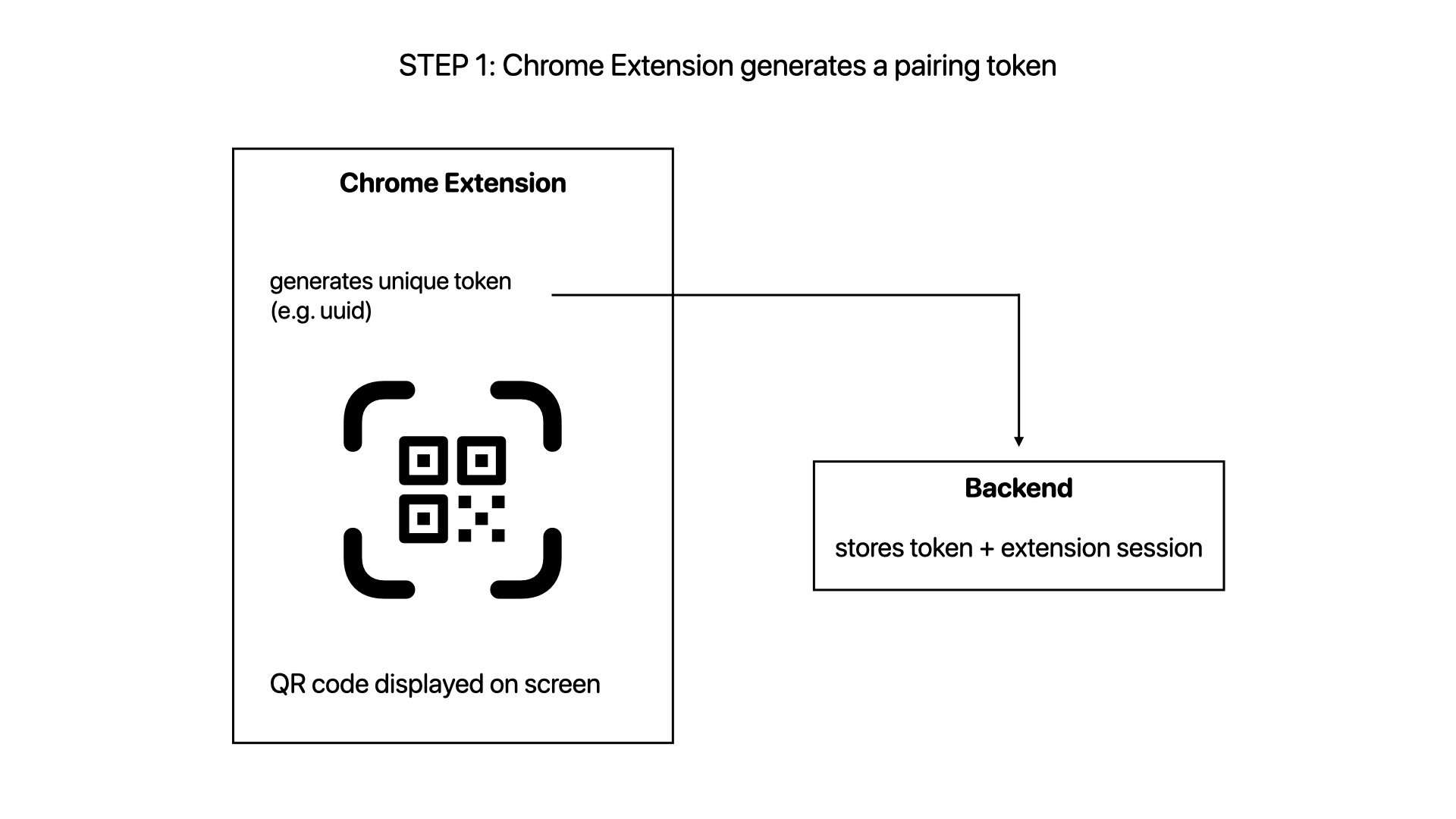
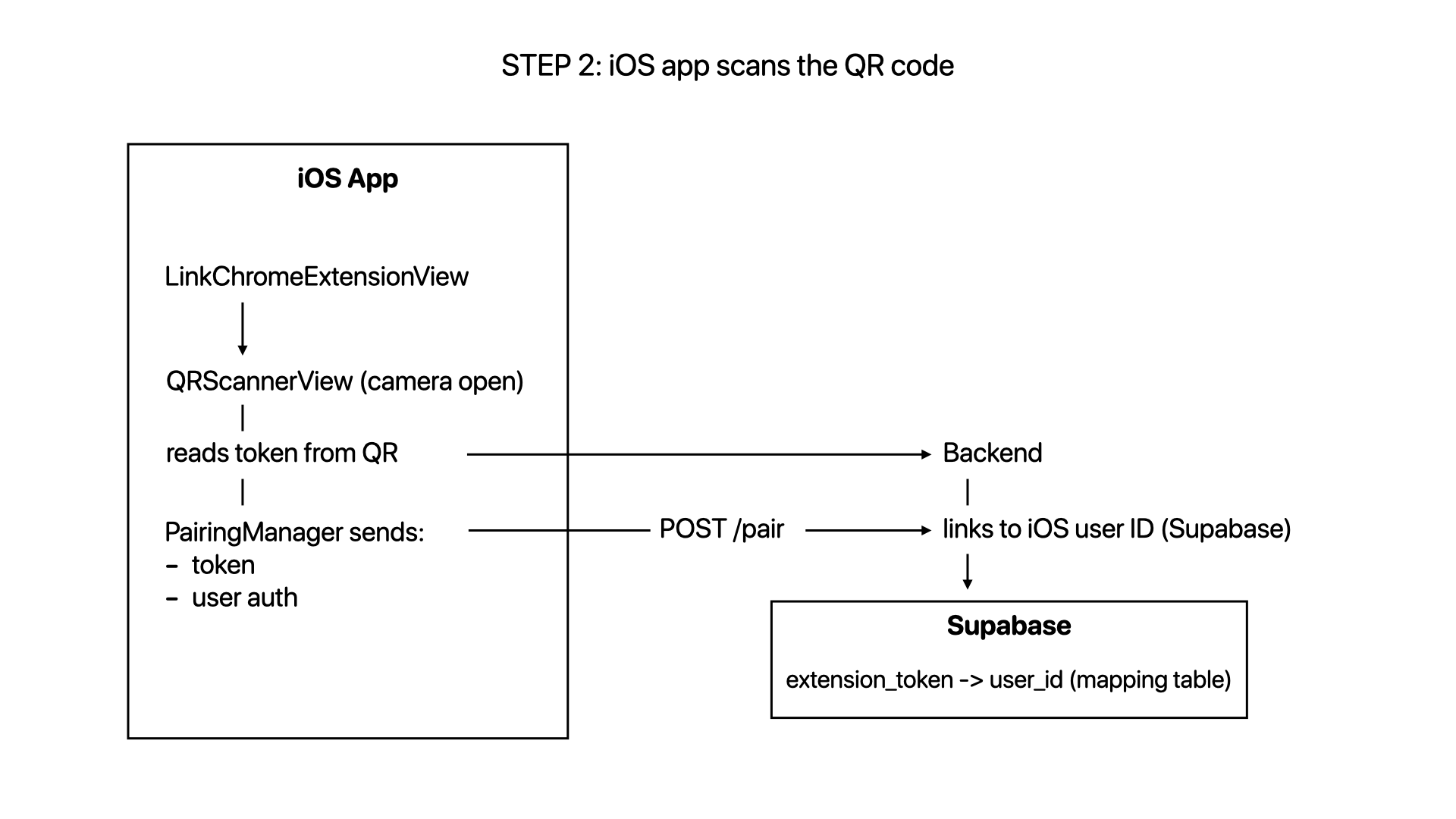
The extension also introduced another complexity layer: how to sync it with the iOS app. I came up with a QR-based solution. It worked really well, but something deep told me this wasn't the right path, and that there might have been a better approach.
Grok ate scraping
After a few days pondering about these limitations, I figured out that I don't need to grab the entire thread in order to have a compelling summary of the tweet. Since X put the most relevant replies at the top, you just need the first page of the rendered replies, assuming working with the browser approach.
I was still thinking of better alternatives and thought, what if I just use Grok API and let it do the heavy lifting? It turned out to be feasible! This way I'd get rid of the whole Chrome Extension part of the architecture, and just remain with the iOS app. Much leaner and better.
The endpoint I used was 'api.x.ai/v1/responses' with the 'grok-4-1-fast' model. Part of the request looks like this:
javascript
body: JSON.stringify({
  model: 'grok-4-1-fast',
  input: [{
    role: 'user',
    content: `Analyze this tweet/thread: ${tweetUrl}
              {rest of prompt}`
  }],
  tools: [{ type: 'x_search' }],
  response_format: {
    type: 'json_schema',
    json_schema: {
      name: 'tweet_data',
      strict: true,
      schema: {
        type: 'object',
        properties: {
          id: { type: 'string' },
          summary: { type: 'string' },
          author_name: { type: 'string' },
          author_handle: { type: 'string' },
          author_profile_image: { type: 'string' },
          tweet_text: { type: 'string' }
        },
        required: ['id', 'summary', 'author_name', 'author_handle', 'author_profile_image', 'tweet_text'],
        additionalProperties: false
      }
    }
  }
})
I had to try with different prompts to get to the final result. The difference between the summary in the first and last versions of the prompt is huge. Things like the tone: being casual and not sloppy; spell out numbers conversationally; no bullet points, headers, or formatting. Or the length: I tell it to judge the content's richness. A simple tweet, a personal story with multiple ideas and autoreplies, or a detailed thread/article all get different lengths.
Replacing it with an iOS Share Extension
The best experience for me would be: while navigating X, tap a listen button on any tweet. That's it. But since X hasn't implement it yet, I have to do all the background work. The closest experience in the Apple ecosystem is using a Share Extension, the thing that appears when you tap the share button inside any app.
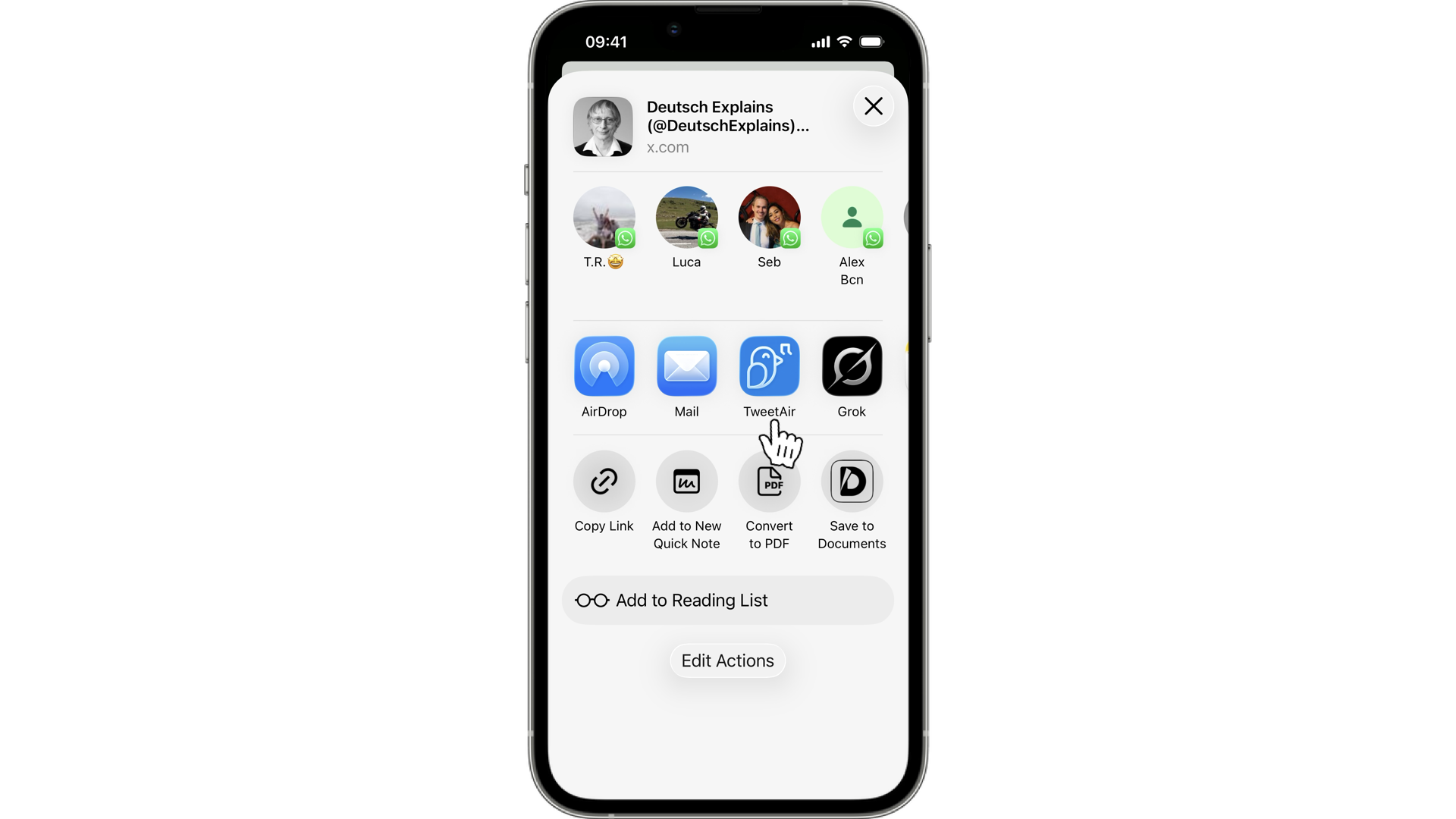
Now the flow became: you see a tweet, tap share, tap TweetAir, done. No pairing, no QR code, no desktop required.
The share extension is its own separate app target in Xcode. It has its own Info.plist, its own entitlements, its own view controller. It communicates with the main app through a shared App Group container.
This new setup resulted in one platform only. The QR pairing infrastructure the Chrome extension introduced? Gone.
The iOS limits
I even wanted to go further in terms of ease of use. You see a cool tweet, tap a 'listen' button, and you're done. But this would've required peeking at what's on the user's screen, and iOS is extremely protective of what apps can see.
This is more feasible on Android. You can build an app that reads what's on screen while you use another app. You can observe accessibility events, detect what app is in the foreground, capture visible text.
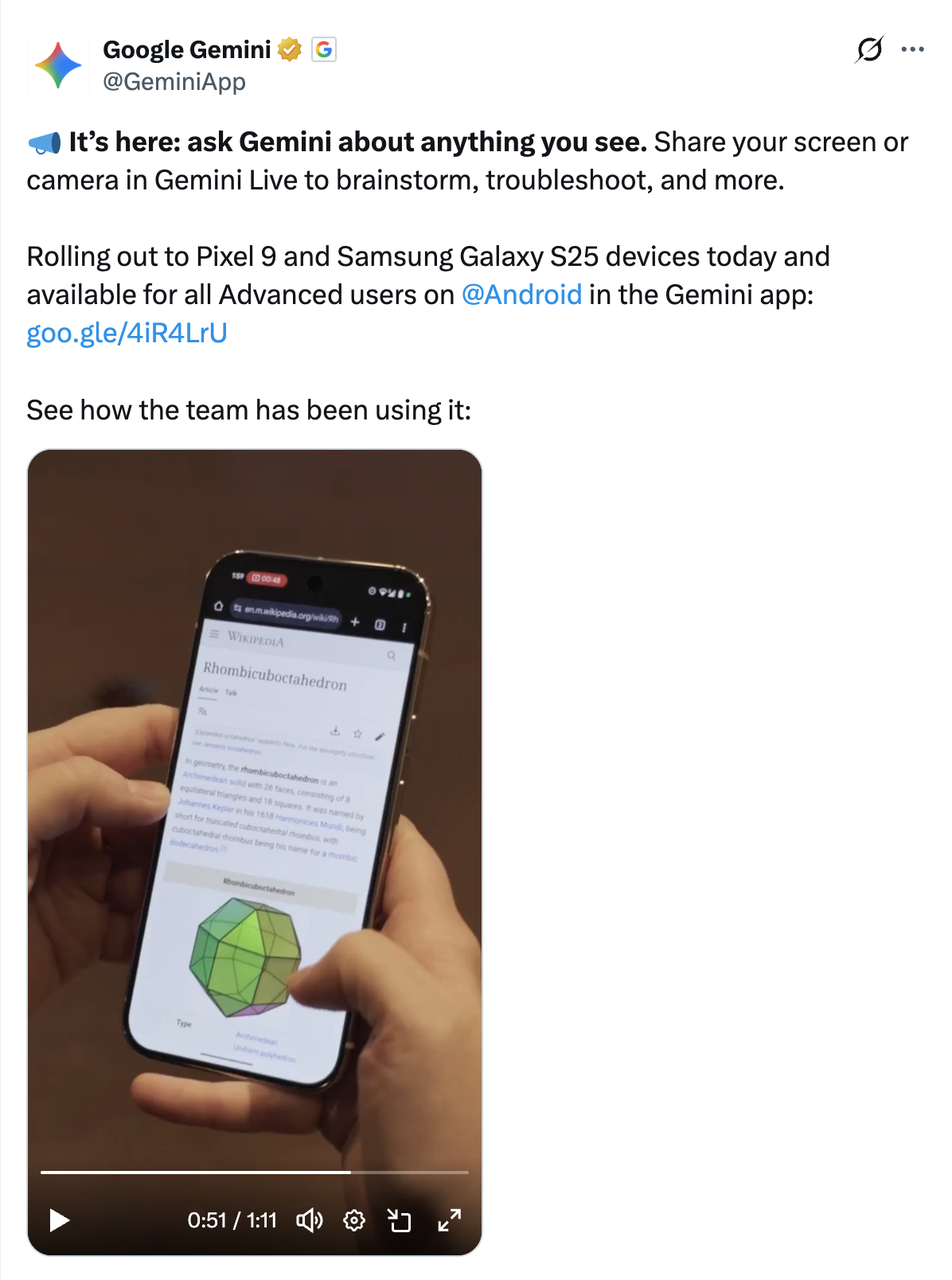
On iOS, your app cannot see what's happening in another app. It cannot read the screen. In other words, it cannot read what you're doing in X.
But the Share Extension is quite decent. The difference is that the user has to make an explicit, manual gesture to share it.
I understand the user privacy and security concerns Apple might have taken to build this kind of sandbox, and I respect the reasoning. But it genuinely limits what this kind of app can be.
A much needed feature
You might have noticed that now you can listen to articles on X. It reads the content word by word though. But the direction is clear: less time on screens. Competition for attention is ferocious at this moment, they know people use other apps as well, so that's a smart move.
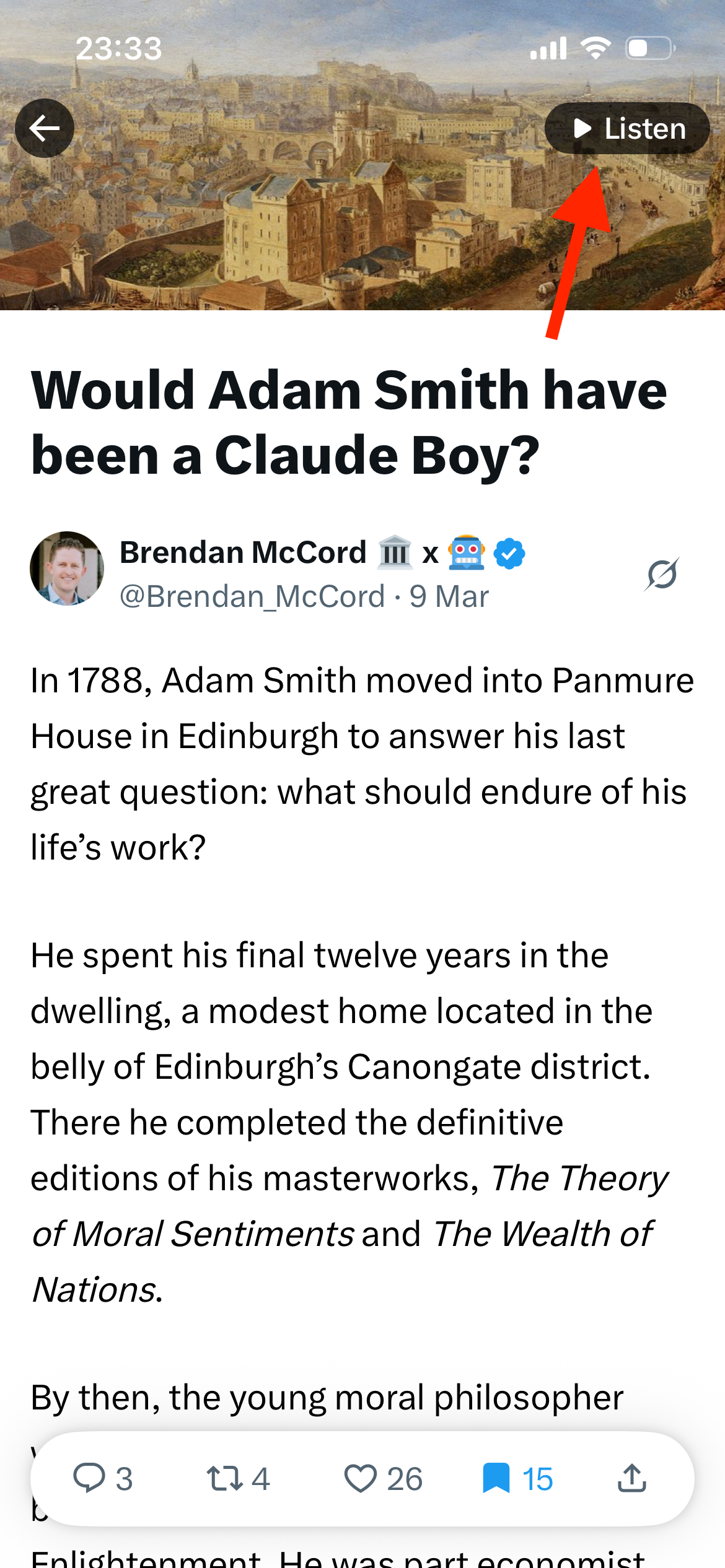
I think it's just a matter of time for them to add a 'listen' button to every tweet, making Grok summarizing and read it aloud. Actually, you can already do this manually: tap the share button on a tweet, copy the URL, open the Grok tab, tap Speak, and say 'summarize this tweet [url]'. It works, but did you notice how many steps? That's for one tweet! Let alone several.
So, until they ship it, I already built it and I'm enjoying it a lot.
Further explorations
I'm not going to lie: I don't want more apps. One of the things I'm researching and tinkering with is: how to rebuild the experience with phones. How agents can help us spend less time on these devices? Giving them the boring parts. It's an interesting and fascinating space.
So, an even bolder approach would be to build an agent that basically knows what I like bookmarking, cuts out the noise, and makes me a daily list of the most interesting tweets. Then I'd just go for a walk, work out, do the dishes, and listen to this crazy but beautiful bubble that X is.
TweetAir is currently on TestFlight if you're curious to try: https://testflight.apple.com/join/6GSp6qKy